

Café and Library Wi-Fi Guide: Remote Work on the Cape
Remote work is life-changing. Being location independent allows you to travel the world and take your job wherever you go. And why wouldn’t you want to work from Cape Cod? Finding a cute café or restaurant with an ocean view lets you enjoy New England while staying productive.
Here’s a practical guide to making the most of Cape Cod’s public spaces.
Finding good Wi-Fi on Cape Cod
Cape Cod has fully embraced coffee shop culture, and reliable Wi-Fi is part of the café experience. Chains like Starbucks and Dunkin’ are great for reliable Wi-Fi and usually have long opening hours. Plus, you won’t be bothered by taking up room at a table.
But there are many great independent cafés that welcome remote workers, too. From Hyannis to Provincetown, look for independent coffee shops with plenty of power outlets and a relaxed vibe.
Coffee shops aren’t your only option, though. Every town on the Cape has a library, which is excellent for stable Wi-Fi and quiet working conditions. Some even give you access to printers, meeting rooms, and bathrooms. And don’t overlook the unique atmosphere that comes from being surrounded by books.
Staying productive
There’s a buzz about a public space, like a café or library, that can inspire your creativity. But it also makes it easy to get distracted. Here are some ways to stay focused, so you can get your work done:
- Bring the right gear. Being prepared can make your coffee shop session a lot more productive. Don’t forget these items:
- Noise-canceling headphones
- A portable charger
- An extension cord or power bar to make the most of available outlets
- A screen privacy protector
- Choose your spot. Ideally, you want a seat near electrical outlets and away from the busiest traffic areas. You don’t want to be too close to the door, the bathroom, or the counter. You might need to get there early to make sure you get the best possible space.
- Be polite:
- Don’t take up more space than you need
- Don’t hog tables
- Use a minimum of power outlets
Staying safe when working remotely
Public Wi-Fi is convenient, but it comes with certain risks. An unsecured network can make your data vulnerable to snooping and hacking. Don’t log into your email or enter sensitive information without taking these precautions:
- Ensure strong email protection. Since your inbox is the gateway to your other accounts, use secure, encrypted email services and two-factor authentication when logging in from a public café.
- Use a VPN with NordVPN deal that will encrypt your connection and keep your personal information safe on a shared network.
- Avoid automatic connections. Manually select Wi-Fi networks so you don’t end up on a fake network.
- Turn off sharing. Disable file sharing and AirDrop in public spaces.
Have a backup plan
Connectivity is usually reliable on the Cape, but Wi-Fi can drop without warning. Here’s how to prepare:
- Work offline. Download files you’ll need so that you can still get something done even without the Internet.
- Use a mobile hotspot. Depending on your data plan, you may be able to share your phone’s Internet with your laptop so you can work when the Wi-Fi is down.
- Know your options. Keep a list of alternative cafés or libraries nearby to move locations.
Working remotely in Cape Cod
You could hardly pick a more beautiful place to work than the Cape. Cape Cod’s libraries and coffee shops let you enjoy the unique charm of the area while still being productive. You can turn any location into your remote office with a little planning.
Remember, never travel without travel insurance! And never overpay for travel insurance!
I use HeyMondo. You get INSTANT quotes. Super cheap, they actually pay out, AND they cover almost everywhere, where most insurance companies don't (even places like Central African Republic etc!). You can sign-up here. PS You even get 5% off if you use MY LINK! You can even sign up if you're already overseas and traveling, pretty cool.
Also, if you want to start a blog...I CAN HELP YOU!
Also, if you want to start a blog, and start to change your life, I'd love to help you! Email me on johnny@onestep4ward.com. In the meantime, check out my super easy blog post on how to start a travel blog in under 30 minutes, here! And if you just want to get cracking, use BlueHost at a discount, through me.
Also, (if you're like me, and awful with tech-stuff) email me and my team can get a blog up and running for you, designed and everything, for $699 - email johnny@onestep4ward.com to get started.
Do you work remotely? Are you a digital nomad/blogger etc? You need to be insured too.
I use SafetyWing for my digital nomad insurance. It covers me while I live overseas. It's just $10 a week, and it's amazing! No upfront fees, you just pay week by week, and you can sign up just for a week if you want, then switch it off and on whenever. You can read my review here, and you can sign-up here!









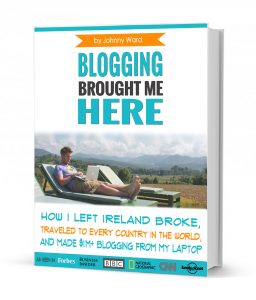 As you know, blogging changed my life. I left Ireland broke, with no plan, with just a one-way ticket to Thailand
and no money. Since then, I started a blog, then a digital media company, I've made
more than $1,500,000 USD, bought 4 properties and visited (almost) every country in the world. And I did it all from my laptop as I
travel the world and live my dream. I talk about how I did it, and how you can do it too, in my COMPLETELY FREE
Ebook, all 20,000
words or so. Just finish the process by putting in your email below and I'll mail it right out to you immediately. No spam ever too, I promise!
As you know, blogging changed my life. I left Ireland broke, with no plan, with just a one-way ticket to Thailand
and no money. Since then, I started a blog, then a digital media company, I've made
more than $1,500,000 USD, bought 4 properties and visited (almost) every country in the world. And I did it all from my laptop as I
travel the world and live my dream. I talk about how I did it, and how you can do it too, in my COMPLETELY FREE
Ebook, all 20,000
words or so. Just finish the process by putting in your email below and I'll mail it right out to you immediately. No spam ever too, I promise!