


How Laptop Screen Extenders Help Digital Artists Stay in the Flow?
The digital world can be chaotic. For artists working in this space, the creative process usually feels like a juggling act. You are using one window to create a masterpiece. Another window for the reference image, and the brush palette in a sidebar. Each of them wants your concentration, but this constant switching breaks your focus, shattering “the flow.”
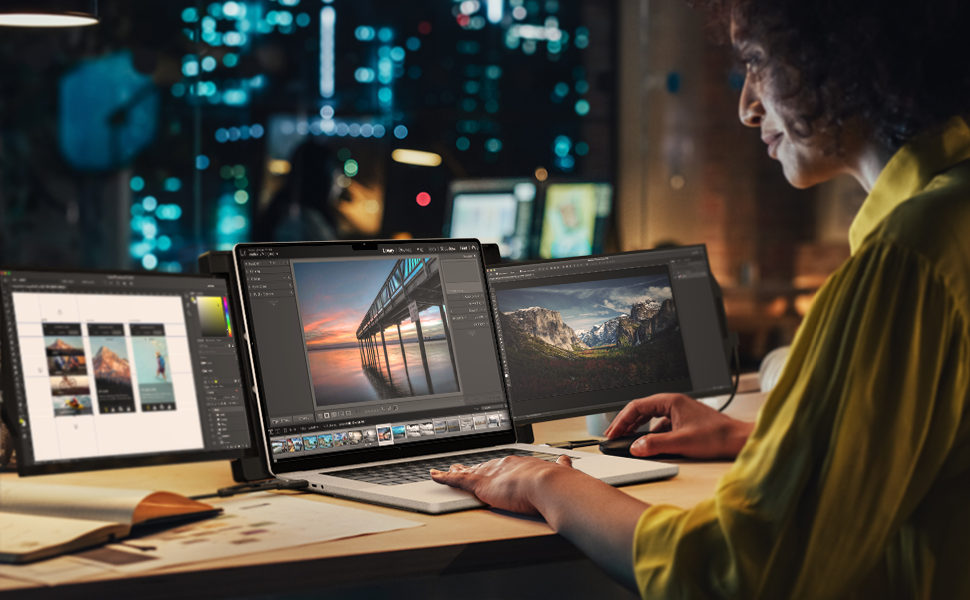
At this point, a laptop screen extender emerges. It changes a single-screen setup into a genuine mobile studio. The additional portable screens are not just tech gadgets, but a secret weapon for maintaining creative workflow.
If you are also a digital artist, buy the Mobile Pixels Trio laptop screen extender. You won’t regret using them. Plus, the blog will detail how the laptop screen extenders help digital artists stay in the flow.
Table of contents
No More Tab-Switching
The lack of screen real estate disturbs a digital artist’s workflow. Whenever you need to pick a new color, check a reference photo’s detail, or change a layer setting, you rush to minimize your main canvas. This is quite tiring, adding to the cognitive load as you constantly have to switch.
With a laptop screen extender, there is no focus-breaking. The extra screen expands your desktop, letting you assign your primary laptop’s screen to the main task. At the same time, you can dedicate your portable screen to palettes, tools, and references.
The distribution keeps every necessary element in plain sight, ending the need to search through hundreds of tabs. As a result, your attention remains solely on the art.
A Perfect Space for Essential Tools
Your digital art software is massive. Whether it’s Photoshop, Procreate, or Clip Studio Paint, these are all loaded with panels for layers, color wheels, brushes, and history. On a small screen, it’s a challenge to deliver what the client wants.
Getting a portable monitor, artists can:
One Screen To The Canvas
Use your main laptop’s screen to open the canvas. It allows you to continue working.
UI Elements To The Second Screen
Dedicate the second screen for UI elements. Moving the tools clears the main workstation. You have more room to make fine-tuned strokes and see the entire composition. There are no distractions or mistakes.
This intentional organization reduces visual clutter, allowing the brain to process work more efficiently and with less stress.
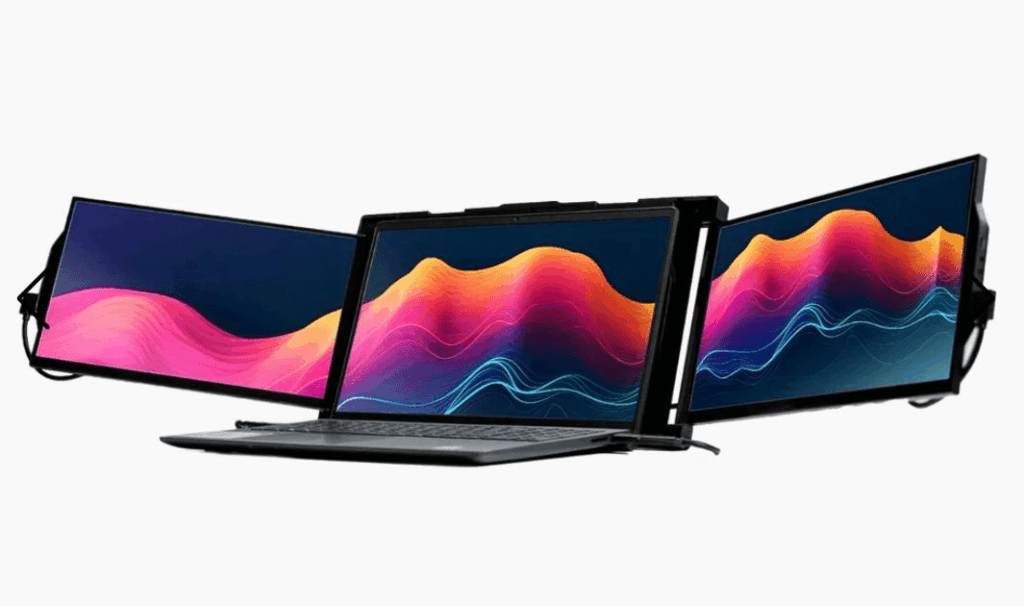
It Offers Perfect Color
Several premium-quality laptop screen extenders feature color-accurate IPS or OLED panels, providing high resolution. For digital artists, perfect colors are necessary. Invest in an extender with excellent color gamut support. This guarantees that the visuals you create will be exactly what your audience and clients will see.
Apart from the wide color gamut support, having a second, larger display makes it easier to zoom in on minute details. You continue editing while viewing the entire composition on the other portable screen. This precision level is vital for professional work like retouching or detailed illustration, and the extenders ensure that digital artists maintain both macro and micro-level focus simultaneously..
Mobile Studio’s Power
The laptop screen extender’s portability is what sets it apart from other monitor accessories. Digital artists are no longer chained to a desk. You can take them to a cafe, a client’s office, or even outdoors. Don’t worry, it’s lightweight, connects via a single USB-C cable, and slips right into your backpack.
Mobile studio’s power means freedom. You can draw inspiration as soon as it hits you. The technology won’t let you down anywhere in the world, encouraging your inner artist to deliver your best.
Conclusion
Laptop screen extenders are very valuable, especially for digital artists, whose work is intense. Therefore, go to Mobile Pixels and make your life and workflow easier and faster.
Remember, never travel without travel insurance! And never overpay for travel insurance!
I use HeyMondo. You get INSTANT quotes. Super cheap, they actually pay out, AND they cover almost everywhere, where most insurance companies don't (even places like Central African Republic etc!). You can sign-up here. PS You even get 5% off if you use MY LINK! You can even sign up if you're already overseas and traveling, pretty cool.
Also, if you want to start a blog...I CAN HELP YOU!
Also, if you want to start a blog, and start to change your life, I'd love to help you! Email me on johnny@onestep4ward.com. In the meantime, check out my super easy blog post on how to start a travel blog in under 30 minutes, here! And if you just want to get cracking, use BlueHost at a discount, through me.
Also, (if you're like me, and awful with tech-stuff) email me and my team can get a blog up and running for you, designed and everything, for $699 - email johnny@onestep4ward.com to get started.
Do you work remotely? Are you a digital nomad/blogger etc? You need to be insured too.
I use SafetyWing for my digital nomad insurance. It covers me while I live overseas. It's just $10 a week, and it's amazing! No upfront fees, you just pay week by week, and you can sign up just for a week if you want, then switch it off and on whenever. You can read my review here, and you can sign-up here!



 As you know, blogging changed my life. I left Ireland broke, with no plan, with just a one-way ticket to Thailand
and no money. Since then, I started a blog, then a digital media company, I've made
more than $1,500,000 USD, bought 4 properties and visited (almost) every country in the world. And I did it all from my laptop as I
travel the world and live my dream. I talk about how I did it, and how you can do it too, in my COMPLETELY FREE
Ebook, all 20,000
words or so. Just finish the process by putting in your email below and I'll mail it right out to you immediately. No spam ever too, I promise!
As you know, blogging changed my life. I left Ireland broke, with no plan, with just a one-way ticket to Thailand
and no money. Since then, I started a blog, then a digital media company, I've made
more than $1,500,000 USD, bought 4 properties and visited (almost) every country in the world. And I did it all from my laptop as I
travel the world and live my dream. I talk about how I did it, and how you can do it too, in my COMPLETELY FREE
Ebook, all 20,000
words or so. Just finish the process by putting in your email below and I'll mail it right out to you immediately. No spam ever too, I promise!